Is the Cloud Secure?

I’ve lost track of the number of times I’ve been asked this question over the last 12 months. Everyone from CIO’s of large organisations through small startups and entrepreneurs, academics and even family members has asked me this when I tell them what I do. Not surprisingly it gets asked a lot more when hacking is on the 10 o’clock news as it has been a number of times over the last year or so with attacks on companies like TalkTalk, iCloud, Fiat Chrysler and, most infamously, Ashley Madison.

I’ve decided therefore to research the facts around cloud and security and even if I cannot come up with the definitive answer (the traditional answer from an architect about any hard question like this usually being “it depends”) at least point people who ask it to somewhere they can find out more information and hopefully be more informed. That is the purpose of this post.

First of all it helps to clarify what we mean by “the Cloud” or at least cloud computing. Let’s turn to a fairly definitive source on this, namely the definition given in the National Institute of Standards and Technology (NIST) Definition of Cloud Computing. According to the official NIST definition:

“Cloud computing is a model for enabling ubiquitous, convenient, on-demand network access to a shared pool of configurable computing resources (e.g., networks, servers, storage, applications and services) that can be rapidly provisioned and released with minimal management effort or service provider interaction.”

Note that that this definition makes no statement about who the cloud service provider actually is. This definition allows for clouds to be completely on premise (that is, within a companies own data centre) and managed by companies whose business is not primarily that of IT just as much as it could be the big ‘public’ cloud service providers such as Microsoft, IBM, Amazon and Google to name but four. As long as there is network access and resources can be rapidly provisioned then it is a cloud as far as NIST is concerned. Of course I suspect the subtleties around this are lost when most people ask questions about security and the cloud. What they are really asking is “is it safe to store my data out on the internet” to which the answer very much is “it depends”.

So, let’s try to get some hard data on this. The website Hackmageddon tracks cyber attacks around the world and publishes twice monthly statistics on who is being hacked by whom (if known). Taking at random the month of August 2015 there were 79 recorded cyber attacks by Hackmageddon (which as the website points out could well be the tip of a very large iceberg as many companies do not report attacks). Of these there seem to be no attacks that are on systems provided by public cloud service providers but the rub here of course is that it is difficult to know who is actually hosting the site and whether or not they are clouds in the NIST definition of the word.

To take one example from the August 2015 data the UK website Mumsnet suffered both a distributed denial of service (DDoS) attack and a hack where some user data was compromised. Mumsnet is built and hosted by the company DSC a hosting company not a provider of cloud services according to the NIST definition. Again this is probably academic as far as the people affected by this attack are concerned. All they know is their data may have been compromised and the website was temporarily offline during the DDoS attack.

Whilst looking at one month of hacking activity is by no stretch of the imagination representative it does seem that most attacks identified were against private or public companies, that is organisations or individuals that either manage their own servers or use a hosting provider. The fact is that when you give your data away to an organisation you have no real way of knowing where they will be storing that data or how much security that organisation has in place (or even who they are). As this post cites the biggest threat to your privacy can often come from the (mis)practices of small (and even not so small) firms who are not only keeping sensitive client information on their own servers but also moving it onto the cloud, even though some haven’t the foggiest notion of what they’re doing.

As individuals and companies start to think more about storing information out in the cloud they should really be asking how cloud service providers are using people, processes and technology to defend against attackers and keep their data safe. Here are a few things you should ask or try to find out about your cloud service provider before entrusting them with your data.

Let’s start with people. According to IBM’s 2014 Cyber Security Intelligence Index 95% of all security incidents involve human error. These incidents tend to be security attacks from external agents who use “human weakness” in order to lure insiders within organisations to unwittingly provide them with access to sensitive information. A white paper from the data security firm Vormetric says that the impacts of successful security attacks involving insiders are exposure of sensitive data, theft of intellectual property and the introduction of malware. Whilst human weakness can never be completely eradicated (well not until humans themselves are removed from data centres) there are security controls that can be put in place. For example insider threats can be protected against by adopting best practice around:

  • User activity monitoring
  • Proactive privileged identity management
  • Separation-of-duty enforcement
  • Implementing background checks
  • Conducting security training
  • Monitoring suspicious behaviour

Next cloud providers need to have effective processes in place to ensure that the correct governance, controls, compliance and risk management approaches are taken to cloud security. Ideally these processes will have evolved over time and take into account multiple different types of cloud deployments to be as robust as possible. They also need to be continuously evolving. As you would expect there are multiple standards (e.g. ISO 27001, ISO 27018, CSA and PCI) that must be followed and good cloud providers will publish what standards they adhere to as well as how they comply.

Finally what about technology? It’s often been said that internet security is a bit like an arms race where the good guys have to continuously play catch up to make sure they have better weapons and defences than the bad guys. As hacking groups get better organised, better financed and more knowledgable so security technology must be continuously updated to stay ahead of the hackers. At the very least your cloud service provider must:

  • Manage Access: Multiple users spanning employees, vendors and partners require quick and safe access to cloud services but at the same time must have the right security privileges and only have access to what they are authorised to see and do.
  • Protect Data: Sensitive data must be identified and monitored so developers can find vulnerabilities before attackers do.
  • Ensure Visibility: To remain ahead of attackers, security teams must understand security threats happening within cloud services and correlate those events with activity across traditional IT infrastructures.
  • Optimize Security Operations: The traditional security operations center (SOC) can no longer operate by building a perimeter firewall to keep out attackers as the cloud by definition must be able to let in outsiders. Modern security practices need to rely on things like big data analytics and threat intelligence capabilities to continuously monitor what is happening and respond quickly and effectively to threats.

Hopefully your cloud service provider will have deployed the right technology to ensure all of the above are adequately dealt with.

So how do we summarise all this and condense the answer into a nice sentence or two that you can say when you find yourself in the dreaded elevator with the CIO of some large company (preferably without saying “it depends”)? How about this:

The cloud is really a data centre that provides network access to a pool of resources in a fast and efficient way. Like any data centre it must ensure that the right people, processes and technology are in place to protect those resources from unauthorised access. When choosing a cloud provider you need to ensure they are fully transparent and publish as much information as they can about all of this so you can decide whether they meet your particular security requirements.

Ping. Floor 11.

Back to the Future Day

So, the future has finally arrived and today is ‘Back to the Future Day‘. Just in case you have missed any of the newspaper, internet and television reports that have been ‘flying’ around this week, today is the day that Marty McFly and Doc Brown travel to in the 1980s movie Back To The Future II as dialled into the very high-tech (I love the Dymo labels) console of the modified (i.e. to make it fly) Delorean DMC-12 motor car. As you can see the official time we can expect Marty and Doc Brown to arrive is (or was) 04:29 (presumably that’s Pacific Time).

Back to the Future Delorean Display

Depending on when you read this therefore you might still get a chance to watch one of the numerous Marty McFly countdown clocks hitting zero.

Most of the articles have focussed on how its creators did or didn’t get the technology right. Whilst things like electric cars, wearable tech, drones and smart glasses have come to fruition what’s more interesting is what the film completely missed i.e. the Internet,  smartphones and all the gadgets which we now take for granted thanks to a further 30 years (i.e. since 1985, when the first film came out) of Moore’s Law.

Coincidentally one day before ‘Back to the Future’ day I gave a talk to a group of university students which was focussed on how technology has changed in the last 30 years due to the effects of Moore’s Law. It’s hard to believe that back in 1985, when the first Back to the Future film was released, a gigabyte of hard disk storage cost $71,000 and a megabyte of RAM cost $880. Today those costs are 5 cents and a lot less than 1 cent respectively. This is why it’s now possible for all of us to be walking around carrying smart devices which have more compute power and storage than even the largest and fastest super computers of a decade or so ago.

It’s also why the statement made by Jim Deters, founder of the education community Galvanise, is so true, namely that today:

“Two guys in a Starbucks can have access to the same computing power as a Fortune 500 company.”

Today anyone with a laptop, a good internet connection and the right tools can set themselves up to disrupt whole industries that once seemed secure and impeneterable to newcomers. These are the disruptors who are building new business models that are driving new revenue streams and providing great, differentiated client experiences (I’m talking the likes of Uber, Netflix and further back Amazon and Google). People use the term ‘digital Darwinism’, meaning the phenomenon of technology and society evolving faster than an organization can adapt, to try and describe what is happening here. As Charles Darwin said:

“It’s not the strongest of the species that survive, nor the most intelligent, but the one most responsive to change.”

Interestingly IBM is working with Galvanise in San Francisco at its Bluemix Garage where it brings together entrepreneurs and start ups, as well as established enterprises, to work with new platform as a service (PaaS) tools like IBM Bluemix, Cloudant and Watson to help them create and build new and disruptive applications. IBM also recently announced its Bluemix Garage Method which aims to combine industry best practices on Design Thinking, Lean Startup, Agile Development, DevOps, and Cloud to build and deliver innovative and disruptive solutions.

There are a number of Bluemix Garages opening around the world (currently they are in London, Toronto, Nice and Melbourne) as well as local pop-up garages. If you can’t get to a garage and want to have a play with Bluemix yourself you can sign up for a free registration here.

It’s not clear how long Moore’s Law has left to run and whether non-silicon based technologies, that overcome some of the laws of physics that are threatening the ongoing exponential growth of transistors in chips, will ever be viable. It’s also not clear how relevant Moore’s Law actually is in the age of Cloud computing. One thing that is certain however is that we already have access to enough technology and tools that mean we are only limited by our ideas and imaginations in creating new and disruptive business models.

Now, where did I leave my hoverboard so I can get off to my next meeting.

Hello, World (from IBM Bluemix)

“The only way to learn a new programming language is by writing programs in it. The first program to write is the same for all languages: Print the words ‘hello, world’.”

So started the introduction to the book The C Programming Language by Brian Kernighan and Dennis Ritchie back in 1978. Since then many a programmer learning a new language has heeded those words of wisdom by trying to write their first program to put up those immortal words on their computer screens. Even the Whitehouse is now in on the game.

You can find a list of how to write “hello, world” in pretty much any language you have ever heard of (as well as some you probably haven’t) here. The idea of writing such a simple program is not so much that it will teach you anything about the language syntax but it will teach you how to get to grips with the environment that the code (whether compiled or interpreted) runs in. Back in 1978 when C ran under Unix on hardware like Digital Equipment Corporation’s PDP-11 the environment was a relatively simple affair consisting of a processor, some storage and rudimentary cathode ray terminal (CRT). Then the ‘environment’ amounted to locating the compiler, making sure the right library was provided to the program and figuring out the options to run the compiler and the binary files output. Today things are a bit more complicated which is why the basic premise of getting the most simple program possible (i.e. writing ‘hello, world’ to a screen) is still very relevant as a way of learning the environment.

All of this is by way of an introduction to how to get ‘hello, world’ to work in the IBM Bluemix Platform as a Service (PaaS) environment.  In case you haven’t heard, IBM Bluemix is an open source platform based on Cloud Foundry that provides developers with a complete set of DevOps tools to develop, deploy and maintain web and mobile applications in the cloud with minimal hassle. Bluemix-hosted applications have access to the capabilities of the underlying cloud infrastructure to support the type of non-functional requirements (performance, availability, security etc) that are needed to support enterprise applications. Bluemix also provides a rich set of services to extend your applications with capabilities like analytics, social, internet of things and even IBM Watson cognitive services. The Bluemix platform frees developers and organizations from worrying about infrastructure-related plumbing details and focus on what matters to their organizations – business scenarios that drive better value for their customers.

IBM Bluemix
IBM Bluemix

Because Bluemix supports a whole range of programming languages and services the options for creating ‘hello, world’ are many and varied. Here though are the basic instructions for creating this simplest of programs using the JavaScript language Node.js.  Follow these steps for getting up and running on Bluemix.

Step 1: Sign Up for a Free Bluemix Trial

You can sign up for a free Bluemix trial (and get an an IBM ID if you don’t have one) here. You’ll need to do this before you do anything else. The remainder of this tutorial assumes you have Bluemix running and you are logged into your account.

Step 2: Download the Cloud Foundry Command Line Interface

You can write code and get it up and running in numerous ways in Bluemix including within Bluemix itself, using Eclipse tools or with the Cloud Foundry command line interface (CLI). As this example uses the latter you’ll need to ensure you have the CLI downloaded on your computer. To do that follow the instructions here.

Step 3: Download the Example Code

You can download the code for this example from my GitHub here. Thanks to Carl Osipov over at Clouds with Carl for this code. Once you have downloaded the zip file unpack it into a convenient folder. You will see there are three files (plus a readme).

  • main.js – the Javascript source code. The code returns a ‘hello, world’ message to any HTTP request sent to the web server running the code.
  • package.json – which tells Bluemix it needs a Node.js runtime.
  • manifest.yml – this file is used when you deploy your code to Bluemix using the command line interface.  It contains the values that you would otherwise have to type on the command line when you ‘push’ your code to Bluemix. I suggest you edit this and change the ‘host’ parameter to something unique to you (e.g. change my name to yours).

Step 4: Deploy and Run the Code

Because all your code and the instructions for deploying it are contained in the three files just downloaded deploying into Bluemix is simplicity itself. Do the following:

  1. Open a command a Command Prompt window.
  2. Change to the directory that you unpacked the source code into by typing: cd your_directory.
  3. Connect to Bluemix by typing: cf api https://api.ng.bluemix.net.
  4. Login to Bluemix with your IBM ID credentials: cf login -u user-id -o password -s devHere dev is the Bluemix space you want to use (‘dev’ by default).
  5. Deploy your app to Bluemix by typing: cf push.

That’s it! It will take a while to upload, install and start the code and you will receive a notification when it’s done.  Once you get that response back on the command line you can switch to your Bluemix console and should see this.

IBM Bluemix Dashboard

To show the program is working you can either click on the ‘Open URL’ widget (the square with the right pointing arrow in the hello-world-node-js application) or type the URL: ‘hello-world-node-js-your-name.mybluemix.net’ into a browser window (your-name is whatever you set ‘host’ to in the manifest file). The words ‘hello, world’ will magically appear in the browser. Congratulations you have written and deployed your first Bluemix app. Pour yourself a fresh cup of coffee and bask in your new found glory.

If you live in the UK and would like to learn more about the IBM Bluemix innovation platform then sign up for this free event in London at the Rainmaking Loft on Thursday 25th June 2015 here.

Where Are the New Fearless Geniuses? 

In his book Fearless Genius the photographer Doug Menuez has produced a photographic essay on the “digital revolution” that was taking place in Silicon Valley, the area of California some 50 miles south of San Francisco that is home to some of the worlds most successful technology companies, during the period 1985 to 2000.

Fearless Genius by Doug Menuez

You can see a review of this book in my other blog here. Whilst the book covers a number of technology companies that were re-shaping the world during that tumultuous period it focuses pretty heavily on Steve Jobs during the time he had been forced out of Apple and was trying to build his Next Computer.

Steve Jobs Enjoying a Joke

In this video Doug Menuez discusses his photo journalism work during the period that the book documents and at the end poses these three, powerful questions:

  1. Computers will gain consciousness, shouldn’t we be having a public dialogue about that?
  2. On education – who will be the next Steve Jobs, and where will she come from?
  3. Why are all investments today so short term?
Where Will the Next Steve Jobs Come From?

All of which are summed up in the following wonderful quote:

If anything in the future is possible, how do we create the best possible future?

Here in the UK we are about to have an election and choose our leader(s) for the next five years. I find it worrying that there has been practically no debate on the impact that technology is likely to have during this time and how, as citizens of this country, we can get involved in trying to “create the best possible future”.

Last month Baroness Martha Lane Fox gave the Richard Dimbleby Lecture called Dot Everyone – Power the Internet and You which, in a similar way to what Doug Menuez is doing in the US, was a call to arms for all of us to become more involved in our digital future. As Ms. Lane-Fox says:

We’re still wasting colossal fortunes on bad processes and bad technologies. In a digital world, it is perfectly possible to have good public services, keep investing in frontline staff and spend a lot less money. Saving money from the cold world of paper and administration and investing more in the warm hands of doctors, nurses and teachers.

Martha Lane Fox Delivering Her Richard Dimbleby Lecture

I urge everyone to take a look at both Doug and Martha’s inspirational talks and, if you are here in the UK, to go to change.org and sign the petition to “create a new institution and make Britain brilliant at the internet” and ensure we here in the UK have a crack at developing our own fearless genius like Steve Jobs, wherever she may now be living.

Please note that all images in this post, apart from the last one, are (c) Doug Menuez and used with permission of the photographer.

Non-Functional Requirements and the Cloud

As discussed here the term non-functional requirements really is a complete misnomer. Who would, after all, create a system based on requirements that were “not functional”? Non-functional requirements refer to the qualities that a system should have and the constraints under which it must operate. Non-functional requirements are sometimes referred to as the “ilities,” because many end in “ility,” such as, availability, reliability, and maintainability etc.

Non-functional requirements will  of course an impact on the functionality of the system. For example, a system may quite easily address all of the functional requirements that have been specified for it but if that system is not available for certain times during the day then it is quite useless even though it may be functionally ‘complete’.

Non-functional requirements are not abstract things which are written down when considering the design of a system and then ignored but must be engineered into the systems design just like functional requirements are. Non-functional requirements can have a bigger impact on systems design than can functional requirements and certainly if you get them wrong can lead to more costly rework. Missing a functional requirement usually means adding it later or doing some rework. Getting a non-functional requirement wrong can lead to some very costly rework or even cancelled projects with the knock-on effect that has on reputation etc.

From an architects point of view, when defining how a system will address non-functional requirements, it mainly (though not exclusively) boils down to how the compute platforms (whether that be processors, storage or networking) are specified and configured to be able to satisfy the qualities and constraints specified of it. As more and more workloads get moved to the cloud how much control do we as architects have in specifying the non-functional requirements for our systems and which non-functionals are the ones which should concern us most?

As ever the answer to this question is “it depends”. Every situation is different and for each case some things will matter more than others. If you are a bank or a government department holding sensitive customer data the security of your providers cloud may be upper most in your mind. If on the other hand you are an on-line retailer who wants your customers to be able to shop at any time of the day then availability may be most important. If you are seeking a cloud platform to develop new services and products then maybe the ease of use of the development tools is key. The question really is therefore not so much which are the important non-functional requirements but which ones should I be considering in the context of a cloud platform?

Below are some of the key NFR’s I would normally expect to be taken into consideration when looking at moving workloads to the cloud. These apply whether they are public or private or a mix of the two. These apply to any of the layers of the cloud stack (i.e. Infrastructure, Platform or Software as a Service) but will have an impact on different users. For example availability (or lack of) of a SaaS service is likely to have more of an impact on the business user than developers or IT operations whereas availability of the infrastructure will effect all users.

  • Availability – What percentage of time does the cloud vendor guarantee cloud services will be available (including scheduled maintenance down-times)? Bear in mind that although 99% availability may sound good that actually equates to just over 3.5 days potential downtime a year. Even 99.99 could mean 8 hours down time. Also consider as part of this Disaster Recovery aspects of availability and if more then one physical data centre is used where do they reside? The latter is especially true where data residency is an issue if your data needs to reside on-shore for legal or regulatory reasons.
  • Elasticity (Scalability) – How easy is it to bring on line or take down compute resources (CPU, memory, network) as workload increases or decreases?
  • Interoperability – If using services from multiple cloud providers how easy is it to move workloads between cloud providers? (Hint: open standards help here). Also what about if you want to migrate from one cloud provider to another ? (Hint: open standards help here as well).
  • Security – What security levels and standards are in place? for public/private clouds not in your data centre also consider physical security of the cloud providers data centres as well as networks. Data residency again needs to be considered as part of this.
  • Adaptability – How easy is it to extend, add to or grow services as business needs change? For example if I want to change my business processes or connect to new back end or external API’s how easy would it be to do that?
  • Performance – How well suited is my cloud infrastructure to supporting the workloads that will be deployed onto it, particularly as workloads grow?
  • Usability – This will be different depending on who the client is (i.e. business users, developers/architects or IT operations). In all cases however you need to consider ease of use of the software and how well designed interfaces are etc. IT is no longer hidden inside your own company, instead your systems of engagement are out there for all the world to see. Effective design of those systems is more important than ever before.
  • Maintainability – More from an IT operations and developer point of view.  How easy is it to manage (and develop) the cloud services?
  • Integration – In a world of hybrid cloud where some workloads and data need to remain in your own data centre (usually systems of record) whilst others need to be deployed in public or private clouds (usually systems of engagement) how those two clouds integrate is crucial.

I mentioned at the beginning of this post that non-functional requirements should actually be considered in terms of the qualities you want from your IT system as well as the constraints you will be operating under. The decision to move to cloud in many ways adds a constraint to what you are doing. You don’t have complete free reign to do whatever you want if you choose off-premise cloud operated by a vendor but have to align with the service levels they provide. An added bonus (or complication depending on how you look at it) is that you can choose from different service levels to match what you want and also change these as and when your requirements change. Probably one of the most important decisions you need to make when choosing a cloud provider is that they have the ability to expand with you and don’t lock you in to their cloud architecture too much. This is a topic I’ll be looking at in a future post.

Consideration of non-functional requirements does not go away in the world of cloud. Cloud providers have very different capabilities, some will be more relevant to you than others. These, coupled with the fact that you also need to be architecting for both on-premise as well as off-premise clouds actually make some of the architecture decisions that need to be made more not less difficult. It seems the advent of cloud computing is not about to make us architects redundant just yet.

For a more detailed discussion of non-functional requirements and cloud computing see this article on IBM’s developerWorks site.

A Cloudy Conversation with My Mum

Traditionally (and I’m being careful not to over-generalise here) parents of the Baby Boomer generation are not as tech savvy as the Boomers (age 50 – 60), Gen X’ers (35 – 49) and certainly Millenials (21 – 34). This being the generation that grew up with “the wireless”, corded telephones (with a rotary dial) and black and white televisions with diminutive screens. Technology however is invading more and more on their lives as ‘webs’, ‘tablets’ and ‘clouds’ encroach into what they read and hear.

IT, like any profession, is guilty of creating it’s own language, supposedly to help those in the know understand what each other are talking about in a short hand form but often at the expense of confusing the hell out of those on the outside. As hinted at above IT is worse than most other professions because rather than create new words it seems particularly good at hijacking existing ones and then changing their meaning completely!

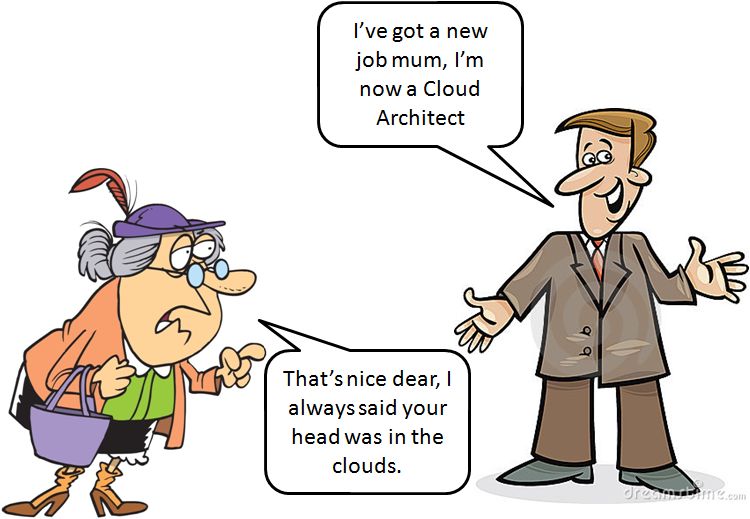
‘The Cloud’ is one of the more recent terms to jump from mainstream into IT and is now making its way back into mainstream with its new meaning. This being the case I thought the following imaginary conversation between myself and my mum (a Boomer parent) given my recent new job* might be fun to envisage. Here’s how it might start…

Cloud Architect and Mum

Here’s how it might carry on…

Me: “Ha, ha very funny mum but seriously, that is what I’m doing now”.

Mum: “Alright then dear what does a ‘Cloud Architect’ do?”

Me: “Well ‘cloud computing’ is what people are talking about now for how they use computers and can get access to programs. Rather than companies having to buy lots of expensive computers for their business they can get what they need, when they need it from the cloud. It’s meant to be cheaper and more flexible.”

Mum: “Hmmm, but why is it called ‘the cloud’ and I still don’t understand what you are doing with it?”

Me: “Not sure where the name came from to be honest mum, I guess it’s because the computers are now out there and all around us, just like clouds are”. At this point I look out of the window and see a clear blue sky without a cloud in sight but quickly carry on. “People compare it with how you get your electricity and water – you just flick a switch or turn on the tap and its there, ready and waiting for when you want to use it.”

Mum: “Yes I need to talk to you about my electricity, I had a nice man on the phone the other day telling me I was probably paying too much for that, now where did I put that bill I was going to show you…”

Me: “Don’t worry mum, I can check that on the Internet, I can find out if there are any better deals for you.”

Mum: “So will you do that using one of these clouds?”

Me “Well the company that I contact to do the check for you might well be using computers and programs that are in the cloud yes. It would mean they don’t have to buy and maintain lots of expensive computers themselves but let someone else deal with that.”

Mum: “Well it all sounds a bit complicated to me dear and anyway, you still haven’t told me what you are doing now?”

Me: “Oh yes. Well I’m supposed to be helping people work out how they can make use of cloud computing and helping them move the computers they might have in their own offices today to make use of ones IBM have in the cloud. It’s meant to help them save money and do things a bit quicker.”

Mum: “I don’t know why everyone is in such a rush these days – people should slow down a bit, walk not run everywhere.”

Me: “Yes, you’re probably right about that mum but anyway have a look at this. It’s a video some of my colleagues from IBM made and it explains what cloud computing is.”

Mum: “Alright dear, but it won’t be on long will it – I want to watch Countdown in a minute.”

*IBM has gone through another of its tectonic shifts of late creating a number of new business units as well as job roles, including that of ‘Cloud Architect’.

The Price of Privacy

So we finally have the official price of privacy. AT&T (one of the largest telecommunications companies in America) have announced that their GigaPower super-fast broadband service can be obtained at a discount if customers “let us use your individual Web browsing information, like the search terms you enter and the web pages you visit, to tailor ads and offers to your interests.”  The cost of not letting AT&T do this? $29 a month. And don’t think you can use your browsers privacy settings to stop AT&T tracking your browser history or search requests. It looks like they use deep packet inspection to examine the data packets that pass through their network and allow them to eavesdrop on your data.

So far so bad but it gets worse. It is not at all clear what GigaPower subscribers get when they pay their $29 fee to opt out of the snooping service. AT&T says that it “may collect and use web browsing information for other purposes, as described in our Privacy Policy, even if you do not participate in the Internet Preferences program.”  In other words even if you pay your ‘privacy tax’ there is no actual guarantee that AT&T won’t snoop on you anyway!

The even worse thing about this, as Bruce Schneier points out here is that “privacy becomes a luxury good” that means only those that can afford the tax can have their privacy recognised thereby driving even more of a wedge between the digital haves and have not’s.

In many ways of course at least AT&T are being transparent and telling you what they do and giving you the option of opting out (whatever that means) of not taking their service at all (assuming you don’t live in a part of the country where they don’t have a virtual monopoly). Google on the other hand offers a ‘free’ email service on the basis that it scans your emails to display what it considers are relevant ads in the hope that the user is more likely to click on them and generate more advertising revenue. This is a service you cannot opt out of. Maybe it’s time for us gmail users to switch to services like those offered by Apple which has a different business model that does not rely on building “a profile based on your email content or web browsing habits to sell to advertisers”. They just make a fortune selling us nice, shiny gadgets.

Why I Became a Facebook Refusenik

I know it’s a new year and that generally is a time to make resolutions, give things up, do something different with your life etc but that is not the reason I have decided to become a Facebook refusenik.

Image Copyright http://www.keepcalmandposters.com

Let’s be clear, I’ve never been a huge Facebook user amassing hundreds of ‘friends’ and spending half my life on there. I’ve tended to use it to keep in touch with a few family and ‘real’ friend members and also as a means of contacting people with a shared interest in photography. I’ve never found the user experience of Facebook particularly satisfying and indeed have found it completely frustrating at times; especially when posts seem to come and go, seemingly at random. I also hated the ‘feature’ that meant videos started playing as soon as you scrolled them into view. I’m sure there was a way of preventing this but was never interested enough to figure out how to disable it. I could probably live with these foibles however as by and large the benefits outweighed the unsatisfactory aspects of Facebook’s usability.

What’s finally decided me to deactivate my account (and yes I know it’s still there just waiting for me to break and log back in again) is the insidious way in which Facebook is creeping into our lives and breaking down all aspects of privacy and even our self-determination. How so?

First off was the news in June 2014 that Facebook had conducted a secret study involving 689,000 users in which friends’ postings were moved to influence moods. Various tests were apparently performed. One test manipulated a users’ exposure to their friends’ “positive emotional content” to see how it affected what they posted. The study found that emotions expressed by friends influence our own moods and was the first experimental evidence for “massive-scale emotional contagion via social networks”. What’s so terrifying about this is whether, as Clay Johnson the co-founder of Blue State Digital asked via Twitter is “could the CIA incite revolution in Sudan by pressuring Facebook to promote discontent? Should that be legal? Could Mark Zuckerberg swing an election by promoting Upworthy (see later) posts two weeks beforehand? Should that be legal?”

As far as we know this has been a one off which Facebook apologised for but the mere fact they thought they could get away with such a tactic is, to say the least, breathtaking in its audacity and not an organisation I am comfortable with entrusting my data to.

Next was the article by Tom Chatfield called The Attention Economy in which he discusses the idea that “attention is an inert and finite resource, like oil or gold: a tradable asset that the wise manipulator (i.e. Facebook and the like) auctions off to the highest bidder, or speculates upon to lucrative effect. There has even been talk of the world reaching ‘peak attention’, by analogy to peak oil production, meaning the moment at which there is no more spare attention left to spend.” Even though I didn’t believe Facebook was grabbing too much of my attention I was starting to become a little concerned that Facebook was often the first site I visited in the morning and was even becoming diverted by some of those posts in my newsfeed with titles like “This guy went to collect his mail as usual but you won’t believe what he found in his mailbox”. Research is beginning to show that doing more than one task at a time, especially more than one complex task, takes a toll on productivity and that the mind and brain were not designed for heavy-duty multitasking. As Danny Crichton argues here “we need to recognize the context that is distracting us, changing what we can change and advocating for what we can hopefully convince others to do.”

The final straw that has made me throw in the Facebook towel however was reading The Virologist by Andrew Marantz in The New Yorker magazine about Emerson Spartz the so called ‘king of clickbait”. Spartz is twenty-seven and has been successfully launching Web sites for more than half his life. In 1999, when Spartz was twelve, he built MuggleNet, which became the most popular Harry Potter fan site in the world. Spartz’s latest venture is Dose a photo- and video-aggregation site whose posts are collections of images designed to tell a story. The posts have names like “You May Feel Bad For Laughing At These 24 Accidents…But It’s Too Funny To Look Away“. Dose gets most of its feeds through Facebook. A bored teenager absent mindedly clicking links will eventually end up on a site like Dose. Spartz’s goal is to make the site so “sticky”—attention-grabbing and easy to navigate—that the teenager will stay for a while. Money is generated through ads – sometimes there are as many as ten on a page and Spartz hopes to develop traffic-boosting software that he can sell to publishers and advertisers. Here’s the slightly disturbing thing though. Algorithms for analysing users behaviour are “baked in” to the sites Spartz builds. When a Dose post is created, it initially appears under as many as two dozen different headlines, distributed at random to different Facebook users. An algorithm measures which headline is attracting clicks most quickly, and after a few hours, when a statistically significant threshold is reached, the “winning” headline automatically supplants all others. Hence users are “click-bait”, unknowingly taking part in a “test” to see how quickly they respond to a headline.

The final, and most sinister aspect to what Spartz is trying to do with Dose and similar sites is left to the end of Marantz’s article when Spartz gives his vision of the future of media:

The lines between advertising and content are blurring,” he said. “Right now, if you go to any Web site, it will know where you live, your shopping history, and it will use that to give you the best ad. I can’t wait to start doing that with content. It could take a few months, a few years—but I am motivated to get started on it right now, because I know I’ll kill it.

The ‘content’ that Spartz talks about is news. In other words he sees his goal is to feed us the news articles his algorithms calculate we will like. We will no longer be reading the news we want to read but rather that which some computer program thinks we should be reading, coupled of course with the ads the same program thinks we are most likely to respond to.

If all of this is not enough to concern you about what Facebook is doing (and the sort of companies it collaborates with) then the recent announcement of ‘keyword’ or ‘graph’ search might. Keyword search allows you to search content previously shared with you by entering a word or phrase. Privacy settings aren’t changing, and keyword search will only bring up content shared with you, like posts by friends or that friends commented on, not public posts or ones by Pages. But if a friend wanted to easily find posts where you said you were “drunk”, now they could. That accessibility changes how “privacy by obscurity” effectively works on Facebook. Rather than your posts being effectively lost in the mists of time (unless your friends want to methodically step through all your previous posts that is) your previous confessions and misdemeanors are now just a keyword search away. Maybe now is the time to take a look at your Timeline or search for a few dubious words with your name to check for anything scandalous before someone else does? As this article points out there are enormous implications of Facebook indexing trillions of our posts some we can see now but others we can only begin to guess at as ‘Zuck’ and his band of researchers do more and more to mine our collective consciousness’.

So that’s why I have decided to deactivate my Facebook account. For now my main social media interactions will be through Twitter (though that too is obviously working out how it can make money out of better and more targeted advertising of course). I am also investigating Ello which bills itself as “a global community that believes that a social network should be a place to empower, inspire, and connect — not to deceive, coerce, and manipulate.” Ello takes no money from advertising and reckons it will make money from value added services. It is early days for Ello yet and it still receives venture capital money for its development. Who knows where it will go but if you’d like to join with me on there I’m @petercripps (contact me if you want an invite).

I realise this is a somewhat different post from my usual ones on here. I have written posts before on privacy in the internet age but I believe this is an important topic for software architects and one I hope to concentrate on more this year.

Government as a Platform

The UK government, under the auspices of Francis Maude and his Cabinet Office colleagues, have instigated a fundamental rethink of how government does IT following the arrival of the coalition in May 2010. You can find a brief summary here of what has happened since then (and why).

One of the approaches that the Cabinet Office favours is the idea of services built on a shared core, otherwise known as Government as a Platform (GaaP). In the governments own words:

A platform provides essential technology infrastructure, including core applications that demonstrate the potential of the platform. Other organisations and developers can use the platform to innovate and build upon. The core platform provider enforces “rules of the road” (such as the open technical standards and processes to be used) to ensure consistency, and that applications based on the platform will work well together.

The UK government sees the adoption of platform based services as a way of breaking down the silos that have existed in governments, pretty GaaPmuch since the dawn of computing, as well as loosening the stranglehold it thinks the large IT vendors have on its IT departments. This is a picture from the Government Digital Service (GDS), part of the Cabinet Office, that shows how providing a platform layer, above the existing legacy (and siloed) applications, can help move towards GaaP.

In a paper on GaaP, Tim O’Reilly sets out a number of lessons learnt from previous (successful) platforms which are worth summarising here:

  1. Platforms must be built on open standards. Open standards foster innovation as they let anyone play more easily on the platform. “When the barriers to entry to a market are low, entrepreneurs are free to invent the future. When barriers are high, innovation moves elsewhere.”
  2. Don’t abuse your power as the provider of the platform. Platform providers must not abuse their privileged position or market power otherwise the platform will decline (usually because the platform provider has begun to compete with its developer ecosystem).
  3. Build a simple system and let it evolve. As John Gall wrote: “A complex system that works is invariably found to have evolved from a simple system that worked. The inverse proposition also appears to be true. A complex system designed from scratch never works and cannot be made to work. You have to start over beginning with a working simple system.”
  4. Design for participation. Participatory systems are often remarkably simple—they have to be, or they just don’t work. But when a system is designed from the ground up to consist of components developed by independent developers (in a government context, read countries, federal agencies, states, cities, private sector entities), magic happens.
  5. Learn from your hackers. Developers may use APIs in unexpected ways. This is a good thing. If you see signs of uses that you didn’t consider, respond quickly, adapting the APIs to those new uses rather than trying to block them.
  6. Harness implicit participation. On platforms like Facebook and Twitter people give away their information for free (or more precisely to use those platforms for free). They are implicitly involved therefore in the development (and funding) of those platforms. Mining and linking datasets is where the real value of platforms can be obtained. Governments should provide open government data to enable innovative private sector participants to improve their products and services.
  7. Lower the barriers to experimentation. Platforms must be designed from the outset not as a fixed set of specifications, but as being open-ended  to allow for extensibility and revision by the marketplace. Platform thinking is an antidote to the complete specifications that currently dominate the government approach not only to IT but to programs of all kinds.
  8. Lead by example. A great platform provider does things that are ahead of the curve and that take time for the market to catch up to. It’s essential to prime the pump by showing what can be done.

In IBM, and elsewhere, we have been talking for a while about so called disruptive business platforms (DBP). A DBP has four actors associated with it:

  • Provider – Develops and provides the core platform. Providers need to ensure the platform exposes interfaces (that Complementors can use) and also ensure standards are defined that allow the platform to grow in a controlled way.
  • Complementor – Supplement the platform with new features, services and products that increase the value of the platform to End Users (and draw more of them in to use the platform).
  • End User – As well as performing the obvious ‘using the platform’ role End Users will also drive demand that  Complementors help fulfill. Also there are likely to be more Users if there are more Complementors providing new features. A well architected platform also allows End Users to interact with each other.
  • Supplier – Usually enters into a contract with the core platform provider to provide a known product or service or technology. Probably not innovating in the same way as the complementor would.
Walled Garden at Chartwell - Winston Churchill's Home
Walled Garden at Chartwell – Winston Churchill’s Home

We can see platform architectures as being the the ideal balance between the two political extremes of those who want to see a fully stripped back government that privatises all of its services and those who want central government to provide and manage all of these services. Platforms, if managed properly, provide the ideal ‘walled garden’ approach which is often attributed to the Apple iTunes and App Store way of doing business. Apple did not build all of the apps out their on the App Store. Instead they provided the platform on which others could provide the apps and create a diverse and thriving “app economy”.

It’s early days to see if this could work in a government context. What’s key is applying some of the above principles suggested by Tim O’Reilly to enforce the rules that others must comply with. There also of course needs to be the right business models in place that encourage people to invest in the platform in the first place and that allow new start ups to grow and thrive.

Wardley Maps

A Wardley map (invented by Simon Wardley who works for the Leading Edge Forum, a global research and thought leadership community within CSC) is a model which helps companies understand and communicate their business/IT value chains.

The basic premise of value chain mapping is that pretty much every product and service can be viewed in terms of a lifecycle which starts from an early genesis stage and proceeds through to eventually being standardised and becoming a commodity.

From a system perspective – when the system is made up from a number of loosely coupled components which have one or more dependencies – it is interesting and informative to show where those components are in terms of their individual lifecycle or evolution. Some components will be new and leading edge and therefore in the genesis stage whilst other components will be more mature and therefore commoditised.

At the same time, some components will be of higher value in that they are closer to what the customer actually sees and interacts with whereas others will be ‘hidden’ and part of the infrastructure that a customer does not see but nonetheless are important because they are the ‘plumbing’ which makes the system actually work.

A Wardley map is a neat way of visualising these two aspects of a system (i.e. their ‘value’ and their ‘evolutionary stage’). An example Wardley map is shown below. This comes from Simon Wardley’s blog Bits or pieces?; in particular this blog post.

Wardley Map 2

The above map is actually for the proposed High Speed 2 (HS2) rail system which will run from London to Birmingham. Mapping components according to their value and their stage of evolution allows a number of useful questions to be asked which might help avoid future project issues (if the map is produced early enough). For example:

  1.  Are we making good and proper use of commoditised components and procuring or outsourcing them in the right way?
  2. Where components are new or first of a kind have we put into place the right development techniques to build them?
  3. Where a component has lots of dependencies (i.e. lines going in and out) have we put into place the right risk management techniques to ensure that component is delivered in time and does not delay the whole project?
  4. Are the user needs properly identified and are we devoting enough time and energy to build what could be the important differentiating components for the company.

Wardley has captured an extensive list of the advantages of building value chain maps which can be found here. He also captures a simple and straight forward process for creating them which can be found here. Finally a more detailed account of value chain maps can be found in the workbook The Future is More Predictable Than You Think written by Simon Wardley and David Moschella.

The power of Wardley maps seems to be that although they are relatively simple to produce they convey a lot of useful information. Once created they allow ‘what if’ questions to be asked by moving components around and asking, for example, what would happen if we built this component from scratch rather than try to use an existing product – would it give us any business advantage?

Finally, Wardley suggests that post-it notes and white boards are the best tool for building a map. The act of creating the map therefore becomes a collaborative process and encourages discussion and debate early on. As Wardley says:

With a map, it becomes possible to learn how to play the game, what techniques work and what failed – the map itself is a vehicle for learning.